Showing posts with label camera phone. Show all posts

Sunday, January 9, 2011

The Best iPhone Camera Applications

You might have gathered that I like to take pictures.  I have a few cameras but the one I use most often is the one in my pocket, my iphone. I usually have it with me wherever I go and it's easy to snap, edit and upload online or email to a friend with just a few clicks.  I've used several apps on my iphone so I thought I would list my favorites along with some before (snapped with just my iphone camera) and after (edited on the phone with the application) shots to give you an idea of what you can do. This list are applications that I've used, but there are many more out there to play with.  If you are interested with one, click on the name and you can see more examples of what it can do, or to buy the application.  I am not affiliated with any of these programs, I just wanted to share some favorites so you can play with them to see what works for you and to have some fun!

Did I miss a good one?  Let me know what your favorite is!

1.) Hipstamatic - $1.99
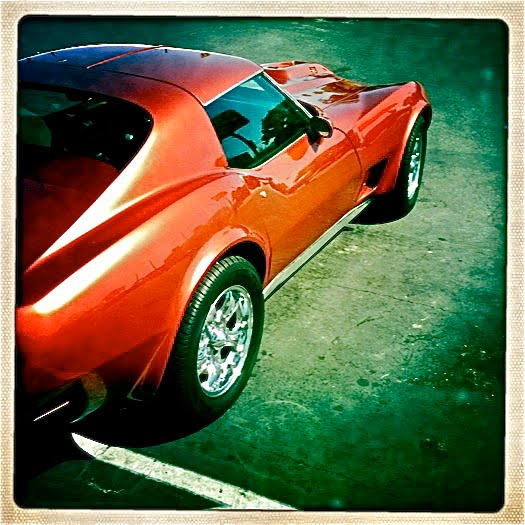
This might be the most popular app and I can see why.  It takes you back to a time where imperfection is king and you don't know what you will get until it's "developed" in your phone.  There are several lens, film and flash options to purchase to achieve the look you are striving for.  I used this the most on my trip across the USA.  I don't have a before and after since you take the shot directly through the app just like you would if you had the older film camera.  You have just once chance to capture the image with the film and lens combination you choose.  I put together a video of the photographs I took on the road with this app since it's hard to choose just one example from this app.


2.) Instagram - FREE
If you want some old analog looks but want to take the perfect photograph before you edit, Instagram gives you that option.  Unlike hipstamatic, you can take your photo before hand and then upload it to the application to edit and get the look you want.  You will get a square image so you will need to crop or zoom your photo to fit the dimensions.  You can also use this program to take photographs first then decide if you want to keep it to edit in the program.  My favorite look is the "earlybird." This program also gives you the feature to post all of your final photographs online to show your friends.  You can also choose not to use the social network option. The first photo of Max at the dog park is my original photo and the second is using the "earlybird" look in the selected editing options.


3.) Cross Process -  $.99
If you like the photo you took on your regular camera but want to give it an extra punch, this is the easiest to use.  Just take a photo, click on the program, choose your picture and it develops it right in front of your eyes to the same dimension you took the photo.  There are options to choose the color combinations that is right for you.  This is a fun, instant editing option. The photos on the left are the original and ones on the right were uploaded and developed in the cross process application with just one click.


4.)Shake it Photo - $.99
Just as the name implies, you shake your phone to develop your print.  The app will automatically crop your photo to a square size and give it an added punch with a border.  You have less control in this app, but it's easy to use and the sounds of a polaroid developing the print will give you the feel that you are developing your photo as you are shaking the phone. This application automatically crops your photo to a square so you don't have the ability to adjust it on your own, but it also adds a nice border. This is an example of a shot out of my camera phone and then through the shake it Photo application.

5.) Camera Bag - $1.99
Like your picture, but bored with the colors?  Camera bag gives you the option to see your photo in all sorts of processing looks.  From an instant look to a magazine shot, you get to choose.  It even has a fish eye lens if you want a fun feel.  My favorite is lens is the Lolo. The first shot is the original and second is using the "lolo" process in Camera Bag.

6.) Camera +  - $1.99
My newest favorite of the bunch.  This app does everything the others do and more.  You can see your photograph in several processing options once you take it out of the lightbox to edit.  It also has an HDR effect, which I like to use from this application.  After you choose your process, you have the option for borders, flipping the image, cropping it and even backlighting darker shots. This is an example of the HDR filter.  First photo is the original and second processed with the HDR effect.

7.) Infinicam - $1.99
As with Camera Bag, you can choose the process, borders and options to send as a postcard once you are finished.  If you like a certain style, you can save to your favorites to use on any photo you choose from your library. This shot is with my normal camera and then the "Autochrome" filter on the Infinicam application.


8.) Pro Camera - $2.99
One of the features I like from this app is the ability to use a timer with your shot.  The camera that comes with your iphone doesn't have this so if you want a self portrait that is further than arms length, click on this program to set up your phone, click the timer and run.  I have the first edition and this is all I use it for but after researching it, there are many more options on this app.  For the first shot, I used the Pro Camera for the timer and Cross Process for the border and processing. The second shot is using the pro camera app for the timer then a tilt shift lens for the blur and saturation (will talk about this app later in the post).

9.) Diptic - $1.99
Have a hard time choosing what pic is best of your trip to the lake, family gathering or swap meet adventures?  This is the application for you.  You can choose up to four images to put into one photo to showcase the best photographs in one.  Here are some trees during a walk that I took on a fall day with different cameras on my phone and turned it into one photo with this application.


10.) Old Photo Pro - FREE
Want to take a trip back in time?  Upload a photo to the Old Photo Pro application and see what it would look like in the olden days, complete with scratches and torn paper at the edges.  Just like the before and after photo of my camping spot in Florida.  I can see what life would look like camping in the olden days...you know when they camped with this exact same tent.


11.) Tilt Shift Generator - $.99
As a bonus, my top 10 list goes to 11!  If you want a SLR camera feel, but want it on your camera phone, use this application.  From the photo you already took, you can upload it to this application, focus on one area on your pic and the application blurs the rest.  As an example below, the first is the original pic, second is using the Tilt Shift Generator  to put Max in focus and blur the rest, and the third is using the Tilt Shift Generated photo in Camera Bag with the Lolo effect with border. Confusing?  You'll get the hang of it once you play around on your phone for a while with the applications.  Need time?  Take a six month road trip alone with no phone reception or television to keep you busy and you will learn all of these pretty fast.

I hope this post gives you some ideas to create your own personal style and most of all, have some fun with it!

Resolution word of warning: As with all camera phone photographs, you won't get the highest quality in resolution so use caution.  Some of the apps will lessen the resolution of the photo once you take it.

As an example, this phograph I took using the hipstamatic app was selected to participate in the Fotoweek DC road show in the camera phone category but was later rejected because the resolution was too low.  Hipstamatic has now changed a feature to include a higher resolution photo.

Wednesday, October 6, 2010

Provincetown, MA

I love Provincetown.  I fell in love with the area when I was lucky enough to spend the month of September here last year.  I briefly visited the town in the summer but I think the fall is the best time of year to be here.  The crowds are thinner, the air is crisp and the town is just the same as it always is...diverse and quaint.

Each part of Cape Cod has its own personality and I am drawn to ptown each year.  I love the rows of cottages as you approach the town and if you decide to drive through commercial street at 1 mile an hour, you will get a glimpse of what the town is about.

Once you are out of the car and mingling with the surroundings, you will get a sense of what I am drawn to.  You can stroll the street a mile and see some amazing works of art from locals and semi-locals.  You won't see a Starbucks or any other chain coffee or fast food restaurant which is a breath of fresh air.  Everyone in town is free to be who they are, when they feel like it.  It's not uncommon to see people expressing their love openly or seeing someone strolling down the street in leather pants with nothing else on in 50 degree weather.

My favorite place to eat for breakfast is at the Far land market.  I stop there at least once every other day to pick out some goodies and if you want an amazing breakfast at a low price, you better get there before 11:30a.m!

All of the beaches are beautiful and I have always been drawn to Race Point.  In fact, I took a photograph of the ranger station each day during my stay last year in September.  It never gets old.

I've always said that this is the perfect place to live if you are able to survive the winters.  Here is a small collection of some of the photographs I took while in Ptown with my camera phone.

Friday, October 1, 2010

America From My iPhone Camera - Featured on iphone Photography Website

It's hard to believe that I've taken over three thousand photographs on my iphone in the past few months.  Well, for me it's easy to believe since I tend to take pictures of everything I see that I find interesting.  I put together a short video of some of my favorite photographs taken with my iphone using my favorite hipstamatic app.  All of these photographs were uploaded as taken from my cell phone.

Thank you for watching and I hope you enjoy.


Very exciting news that the iphone photography website featured my video on their blog!  To see it listed, click HERE or go to www.iphonephotography.com

Monday, July 12, 2010

Camera Phone Snapshots


I have three cameras to document this trip.  I have my camera on my phone, my Canon s90 point and shoot and my Canon 5D Mark ii.  Where ever I go, I like to take photographs with all of them. There is an app that you can get for your iphone that takes photographs that look like the old square ones you find when you dig through old family treasures. To get this look, you can download the hipstamatic application for your iphone phone.  I like to gather a collection of these since they are easy to take and it's fun to switch out the film, lenses and flash right on your phone.

I've been taking them from the start of this journey and I look forward to taking more to share with you.  Here are a few that I've taken that I especially like.  I didn't do anything with the photograph, I just pointed in the direction of something that looked interesting to me and clicked the button.

It's just a reminder that it isn't necessary the tools you have that will give you a photograph you enjoy.  Sometimes we forget to take the time to document what we do, but once you have it on "film" you will be able to cherish it forever.  This summer (and beyond), I encourage you to dust off that camera you have and take some snapshots of your life, where you go and what you do.  Sometimes, I think those are the most interesting shots.  Simple things like eating breakfast, cooking with your family, watching your kids play, items you see on your commute.  I know I can be critical on myself with the photographs I take.  When I take the time to look back on them, I tend to enjoy the simple ones the most.  The ones that take me back to the time when the photograph was taken.  Don't wait for the newest camera, the one you have that's sitting in a drawer will work just fine.  Last year on my journey, I took all of my photographs with a point and click you can buy at any big electronics store for about $100 bucks.  There are even cheaper versions out there as well.  Have fun!  I have to admit that taking photographs has made this journey a little bit more fun, even though Max is a bit sick of it.

Thursday, May 13, 2010

The Magic Camera Phone

I love gadgets.  Recently, I purchased the iphone (I know, a little late in the game) and love all of the apps that you can download right from your phone.  I had a scratched up Palm Treo for about 5 years and have been using it even when I need duct tape to keep it together and need to use the period key to put spaces between words since I had a broken space bar.  I have been putting off buying a phone where you are forced to use a data plan since I think that being away from the computer should be just that...being away from the computer.

One of the biggest reasons I wanted an iphone is for the "Roadside America" app.  I know it's silly to buy a phone just for the app, but how am I going to know when I will stumble upon the largest ball of twine if it's not listed on a map!  I look forward to exploring the odd, largest, smallest and one of a kind roadside attractions on this trip.  Once I plugged it in on my phone, I found out that the world's skinniest house was located within driving distance from me!  How amazing is that?!  Just what I was looking for!

Mostly, I didn't want to experience the time I got lost in South Dakota and drove around for hours only to camp in a place in that was going to be the center of a severe thunderstorm.  That was an adventure.

Also, you can download a fun app that takes photographs from your phone in old hipstamatic style, such as the two on this blog that I took.  It might be old news to you, but it's a pretty amazing little computer...this iphone.  I am not sold on the coverage and service so I will also have a pay as you go phone from Verizon just in case I need to call for help while a bear is knocking on my tent door.

I wonder if there's an app for that?